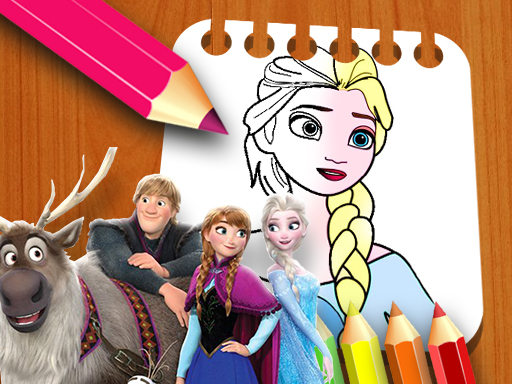
Game Introduction
Frozen II Coloring Activity is a free online game that allows players to add color to scenes inspired by the Frozen II movie. The game includes eight different pages to work with, each featuring familiar characters such as Elsa, Anna, and Olaf. Players can select from a wide range of colors and adjust the brush size to either add fine details or fill larger areas. The game runs on all devices, including computers, tablets, and phones, without requiring any downloads or installations. Simply open a browser and begin coloring. This activity offers a calm and creative experience suitable for fans of all ages.
How to Play
Playing Frozen II Coloring Activity is straightforward. Start by choosing one of the eight coloring pages from the main screen. After selecting a page, look at the bottom of the game screen to see the available colors. Click on the color you want to use. Then click and hold on the page while moving your mouse to apply color. You can adjust the size of the coloring point to work on small details or cover large areas quickly. If you make a mistake, use the eraser tool located below the page to remove unwanted color. There are no time limits or scores, so you can color at your own speed and enjoy the process.
Game Features
Frozen II Coloring Activity includes eight unique pages. The color selection is easy to use. You can adjust the brush size for precision. An eraser tool helps fix mistakes. The game works on all devices without downloads.
Tips for Success
This game offers a calm and creative way to spend time. It encourages artistic expression without pressure. You can color alone or with family.

Comments
0 comments