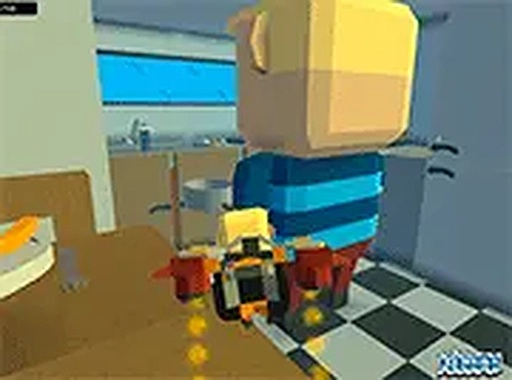
Star Collection Race
In Neighborhood Star Run, the main goal is to gather as many stars as possible before time runs out. Stars are placed throughout a colorful suburban map, on streets, rooftops, and other elevated spots. Players must plan efficient routes to collect stars quickly while watching opponents' progress. The game rewards quick thinking and smart path choices rather than direct competition, making it suitable for all ages.
Vehicle Navigation
To reach stars on high platforms, players can drive various vehicles like cars and trucks found around the neighborhood. Entering a vehicle increases speed and allows access to rooftops and other shortcuts. Each vehicle handles differently, so learning their turning radius and acceleration helps players navigate tight spaces. Mastering vehicle movement is key to collecting stars faster than others.
Quick Match Structure
Matches in Neighborhood Star Run are short, typically lasting a few minutes. This design makes the game ideal for quick play sessions. Players can join a match with friends or random opponents, and the simple controls mean anyone can start playing immediately. The game runs in a browser without downloads, lowering the barrier to entry.
Visual Style and Atmosphere
The game features a bright, cheerful art style with colorful houses, trees, and roads. This welcoming visual design creates a relaxed atmosphere that appeals to players of all ages. The map is open and easy to navigate, with clear landmarks that help players remember vehicle locations and star clusters. The friendly aesthetic encourages repeated play without stress.
Strategic Route Planning
Success in Neighborhood Star Run depends on memorizing the map and planning efficient routes. Players should identify where vehicles are parked and which paths lead to star-dense areas. Prioritizing stars on high platforms early can give an advantage, as these spots are harder for others to reach. Keeping an eye on the scoreboard helps adjust strategy mid-match.



Comments
0 comments